Working with Redis in Node.JS projects.
I used Redis in number of my project, in 2020 i made post in my blog Up and running Redis and Redsmin and now I want explain more details about this feature.
Potentially all what you doing with Redis in Javascript you can make with Array, but Javascript is most slow environment and need a lot of memory, look for example to this topic with my comparison languages speed - OpenResty/LuaJIT - The fastest backend technology ever exists., and if you want speedup your application, you need avois stupid JS array. And, of course, main benefits of Redis is TTL - time what Redis used to stored data.
1. Restart Redis in Developer computer.
This is useful command set to working with Redis.
# sudo systemctl status redis
# sudo systemctl start redis
# sudo systemctl start redis
#
# sudo redis-server --version
# redis-cli ping
# sudo redis-server /etc/redis/redis.conf --daemonize yes
# sudo redis-server --daemonize yes
#
# ps aux | grep redis-server
# redis-cli config get dir
2. Minimal config.
# sudo tee /etc/redis/redis.conf << 'EOF'
# Network bindings
bind 127.0.0.1 ::1

# Port configuration
port 6379

# Security mode
protected-mode yes

# Run as daemon
daemonize yes

# Data directory
dir /var/lib/redis

# Log file
logfile /var/log/redis/redis-server.log

# Memory management
maxmemory 256mb
maxmemory-policy allkeys-lru

# Persistence
appendonly yes
appendfilename "appendonly.aof"
EOF
3. Main Redis CLI command.
# redis-cli ping
# redis-cli
# 127.0.0.1:6379> save
# strings dump.rdb
Strings, of course, not correct way to see all data, this is only fastest way, but this way in practice allow to estimate what currently Redis stored.
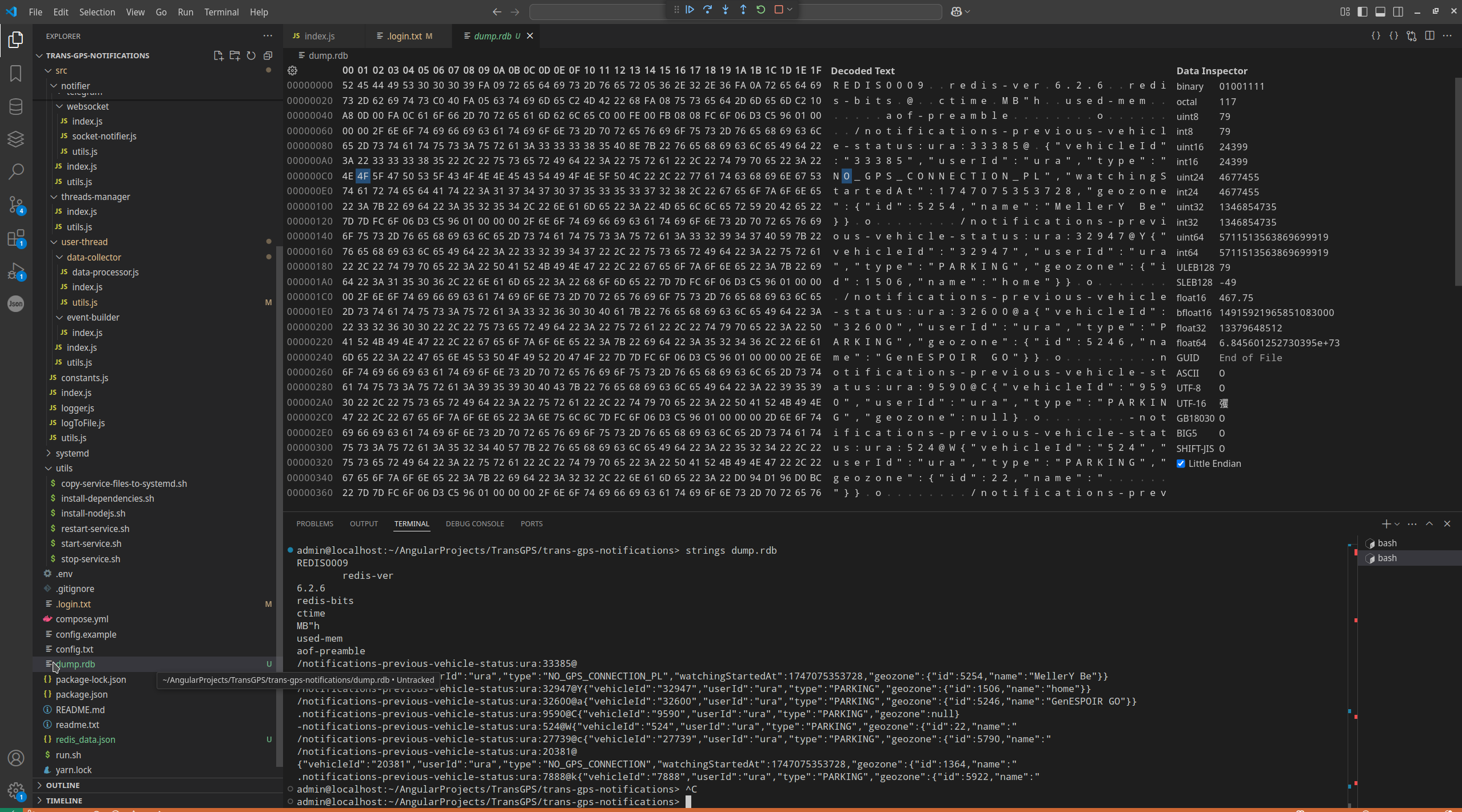
Of course, you can make full Redis dump, for example this is my LUA script with full dump. If you want to make Redis dump in Javascript level, this is best way Debug Node.JS projects - export variable to file, if you want to use full dump in server level (for example with LUA script, this is best way Key points to working with Nginx LUA scripts - location of Nginx config and log, LuaJIT version, cache LUA scripts, debug and logging LUA, testing with CURL, LUA modules scope, LUA packages, Table type variable, working with Redis and MySQL..
4. JS connect.
Js connector usually similar to MySQL connector and looking something like this:
1:
2: import { createClient } from 'redis';
3: import { logger } from '../logger.js';
4:
5: let client = null
6:
7: export const getRedisClient = async () => {
8: if (!client) {
9: client = createClient({
10: socket: {
11: host: process.env.REDIS_HOST,
12: port: process.env.REDIS_PORT
13: }
14: })
15:
16: client.on('error', (err) => {
17: logger.error(`Failed connection to Redis ${err}` )
18: client = null
19: })
20:
21: await client.connect()
22: }
23:
24: return client
25: }
26:
5. Read/Write data.
Simplest operation can looking as :

But, of course, its possible more sophisticated operation with adding key to objects, for example something like this:

6. Example of practical using Redis.
This is example use case when without Redis impossible to resolve algorithm. So, I receive set of data each second from GPS tracker. And I must send notification only once a 5 minutes if vehicle moving with over speeding.
Firstly, I need to store all incoming data to Redis.
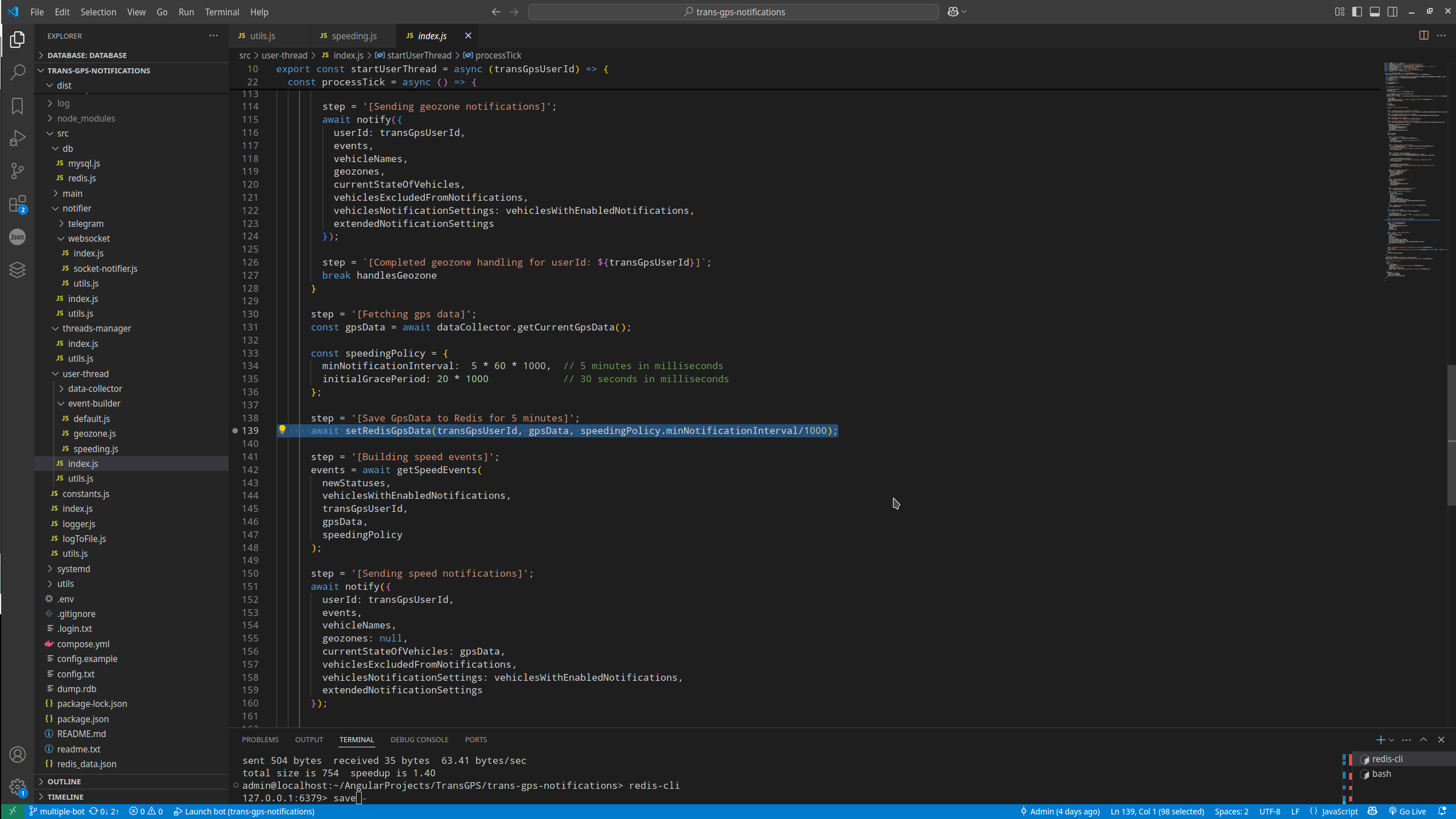
Than in needed place I read data and detect that vehicle moving with overspeeding.
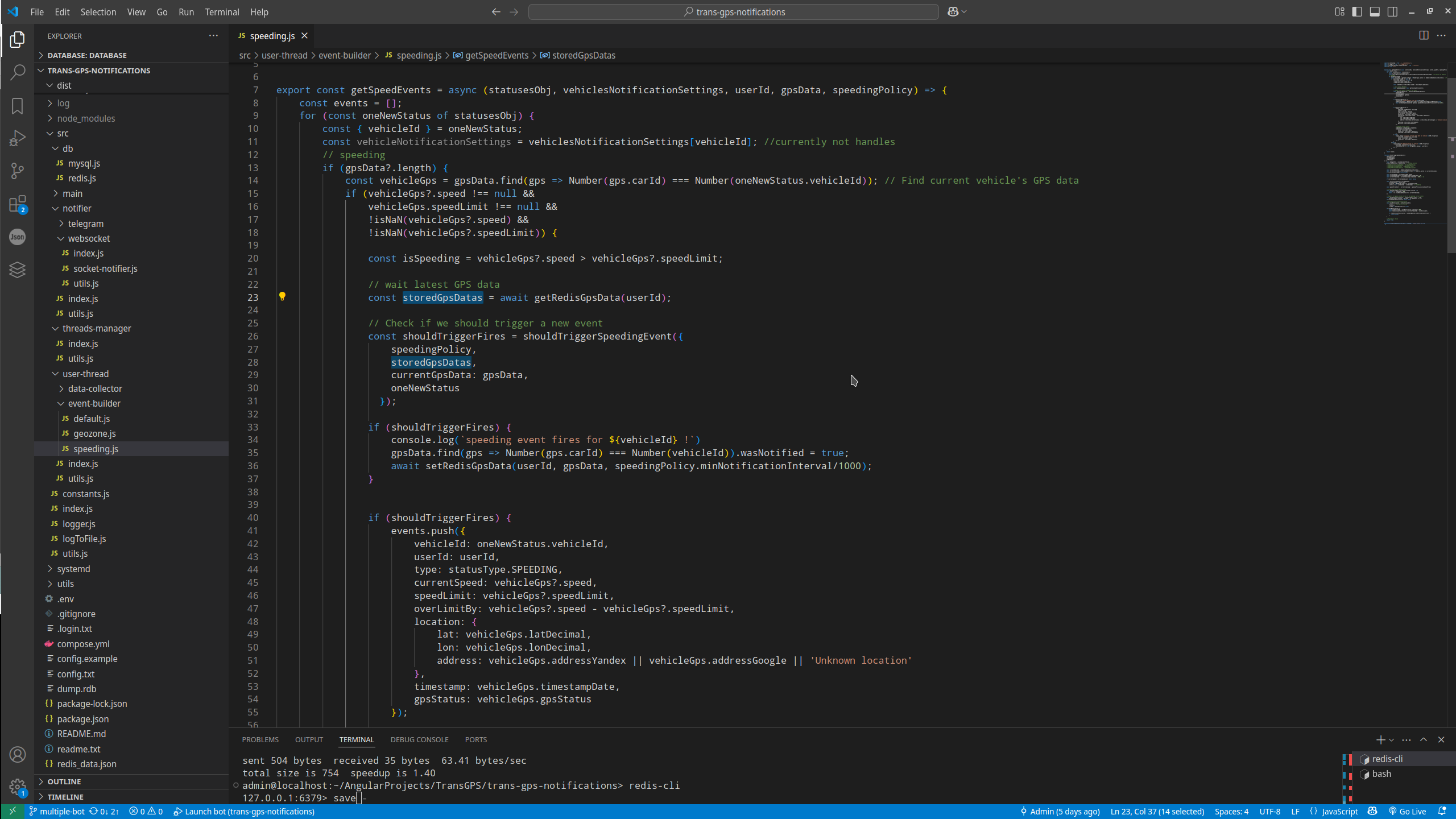
But how I can understand moment, why I should push new notification?
I use Redis for this, I set flag "wasNotified = true" if this incoming portion of data exactly the same portion of data what using to notification (line 35).
And for detection next moment to send notification user about vehicle overspeeding I use flag "wasNotified === true" what I set to previous portion of data what I used to send user notification.
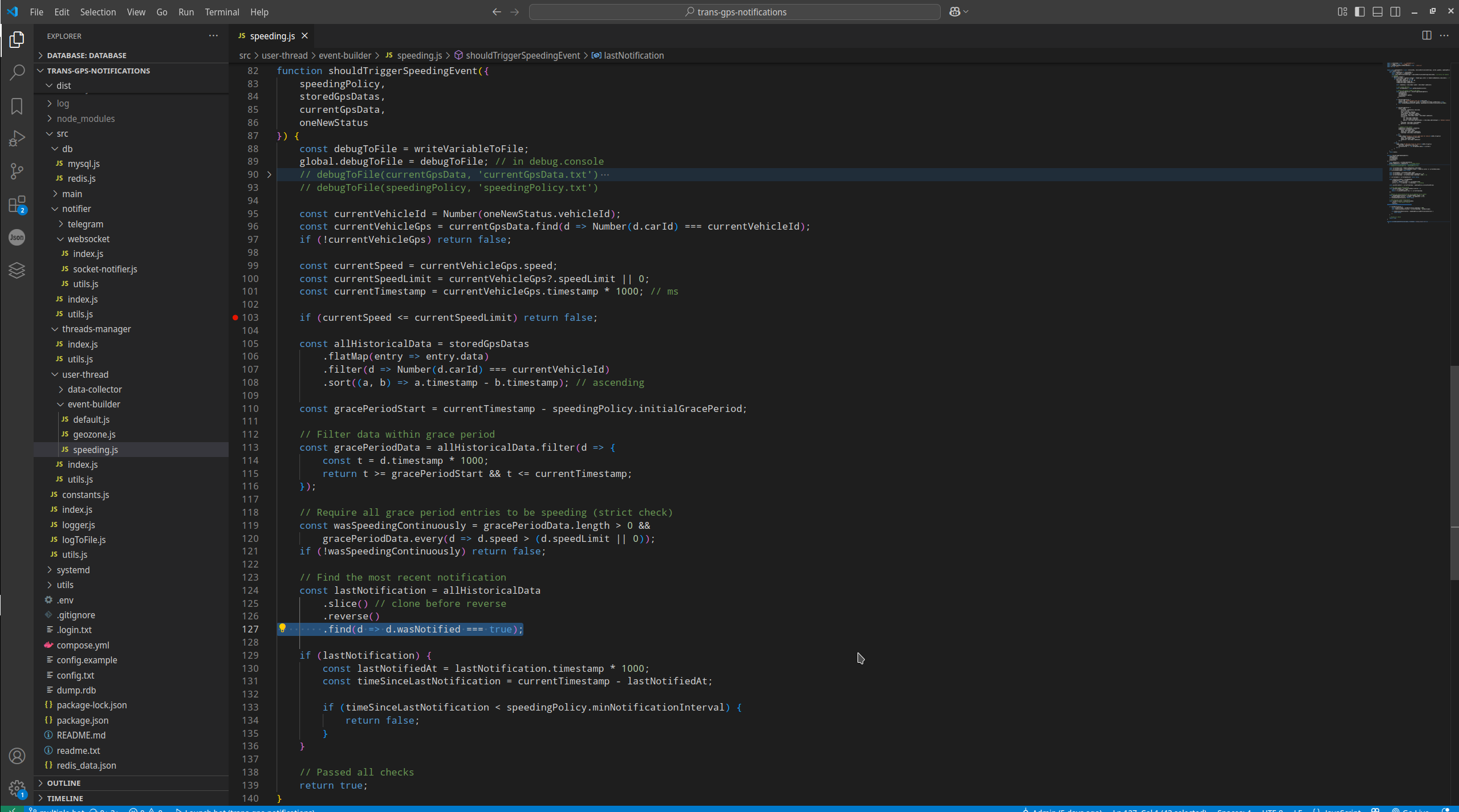
To better understand data, that I stored in Redis in this case, you can see post Debug Node.JS projects - export variable to file..
In this scenario we can see all Redis benefits, data automatically deleted when data no need more, and we have way to fast store huge set of data (each GPS tracker generate data each seconds and some user accounts has thousands of vehicle). In this case stored data into JS array maybe impossible at all, memory and speed not enough, Redis is only one possible solution in this case.
JavascriptProjects context:
 )
)
|
|